No. 13 · MAY 2026 · 4 Min Read
Intro to Claude Context
Abstract
Claude context has six layers: instructions, projects, skills, memory, chat search, and the current task. Put durable rules in layers you control.
Claude can now carry context across chats. When memory is on, it can build from earlier conversations. On paid plans, Claude can also search past chats when you ask it to. The old advice that every new chat begins as a blank slate is wrong.1
That does not turn Claude into one continuous work session. Memory is on by default for Free, Pro, and Max users. On Team and Enterprise plans, it is off by default; an owner must enable it for the organization before members can turn it on. Past-chat search is available on paid plans, except for Enterprise organizations that use customer-managed encryption keys. You can turn memory and chat search off in Settings.1
Long conversations still become hard to manage. They are slower, and a pile of stale instructions makes the actual assignment harder to see. More context is not better context. Context with a clear job is.
Six Context Tiers
Think about six sources of context, sorted by scope. The tiers are a way to decide where information belongs, not a claim that Claude processes them in a fixed priority order.
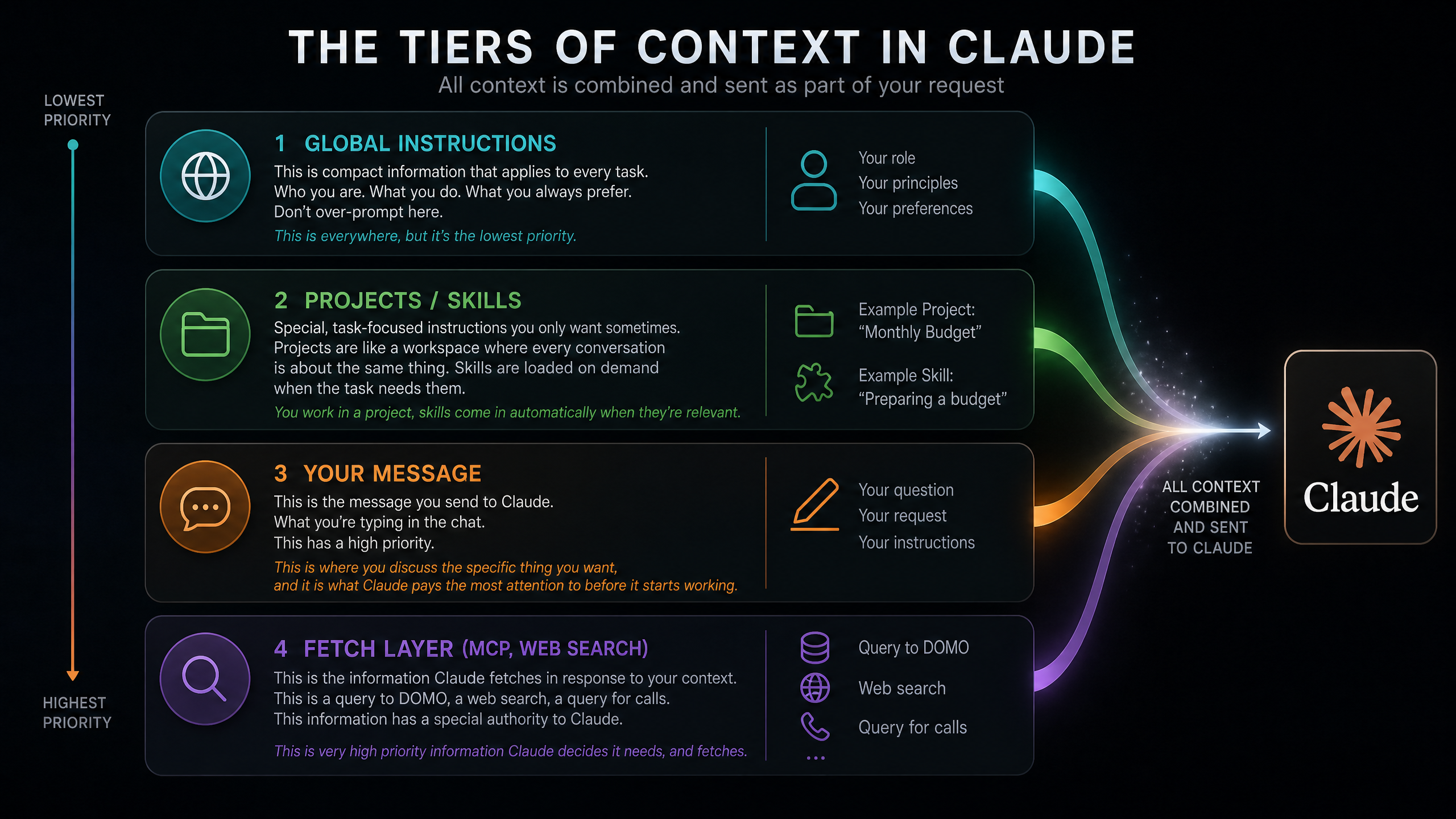
Tier 1: Profile Instructions. Account-wide preferences: who you are, what you do, and how you want Claude to respond. Keep these short. “I’m a project manager on the marketing team. I handle campaign planning and vendor coordination. Be direct and opinionated. Don’t give me several options when there is one obvious answer.” Profile instructions apply across your conversations.2
Tier 2: Project Instructions and Knowledge. Facts, files, and rules for one workspace. A monthly-budget project might say that the fiscal year starts in February, figures are USD, currency has commas and no decimals, and month comparisons always show the delta and percentage change. That information belongs with the project, where it stays separate from unrelated work.2
Tier 3: Skills. Repeatable methods you activate when the job calls for them. A vendor-email skill can require an account number in the subject, specific PO references, and a concrete next step. The same procedure used three times has earned a skill.2
Tier 4: Memory and Project Summary. Claude stores memory as individual entries grouped by category and updates them as you chat. Each Project has its own memory space and project summary. This is useful continuity for your role, preferences, and ongoing work, but it follows plan defaults and, on Team and Enterprise, organization settings.1
Tier 5: Past-Chat Search. When you ask Claude to find an earlier discussion, it can retrieve relevant material from saved conversations. Outside a Project, it searches non-project chats. Inside a Project, it searches only conversations in that Project. It is available on paid plans, except for Enterprise organizations that use customer-managed encryption keys. Search is a lookup, not a promise that every past conversation is already in the current chat.1
Tier 6: Your Message and Source Material. The task in front of Claude, the files you attach, and any material it retrieves for this assignment. “Compare October and November spend. Anything unusual?” can stay short because the standing rules already have a home.
Memory Needs Review
Memory reduces repetition. It is a useful continuity layer, and the Memory panel lets you inspect, change, and delete its categorized entries.1
Durable facts and rules still need an explicit home. Profile instructions are for account-wide standards. Project instructions and project knowledge are for a particular body of work. Skills are for repeatable methods. Those are the places you can inspect before a response, edit directly, and share with the work that depends on them.
Memory can support those sources. It should not be the only place a requirement lives.
The Prompting Decision
If a change would bother you, specify it. If a change would improve the work, leave room for it.
Currency format belongs in the project instructions. The wording of an email greeting usually does not. Every unnecessary rule consumes attention that should go to the task. Precision matters, but precision is not volume.
Getting Started
- Write profile instructions. Three to five sentences about who you are and how you work.
- Create a Project. Pick something you do weekly. Add the files, facts, and instructions that define it.
- Use Claude for a week. Let memory and past-chat search reduce repetition when your plan and settings support them.
- Turn repetition into skills. A repeated procedure deserves an explicit recipe.
Keep profile instructions tight. Put the durable detail in projects and skills. Keep the message about the work happening now.
Footnotes
-
Anthropic, “Use Claude’s chat search and memory to build on previous context”. ↩ ↩2 ↩3 ↩4 ↩5
-
Anthropic, “Understanding Claude’s personalization features”. ↩ ↩2 ↩3